& Construction

Integrated BIM tools, including Revit, AutoCAD, and Civil 3D
& Manufacturing

Professional CAD/CAM tools built on Inventor and AutoCAD
Imagine a world where machines work tirelessly, precisely, and safely to create the products we use every day. Industrial automation software helps make this a reality by rethinking how we design, control, and optimize the way goods are manufactured and processed.
Modern industrial automation software helps manufacturers get better results, create safer workplaces, and make better business decisions using real-time data and intelligent control.
Industrial automation is the use of machines, robotics, and control systems to perform tasks that were traditionally carried out by humans. Industrial automation software is the digital layer that lets engineers design, program, monitor, and optimize these automated systems across the factory.
This software connects hardware like robots, PLCs, sensors, and drives with higher-level systems such as SCADA, MES, and ERP, so that data and commands can flow seamlessly. It enables automatic operation of industrial processes and machinery with minimal human intervention, reducing errors, increasing speed, and improving consistency.
Core capabilities of industrial automation software include:
Early industrial automation mostly focused on boosting productivity through 24/7 operations and reducing human workforce costs. But as technology advanced, so did our ambitions. We can see this progression through the different stages and types of industrial automation systems.
Highly specialized equipment and control logic designed for high-volume, repeatable production, supported by software that manages sequencing and timing.
Systems where software-controlled programs can be changed or updated to run different product batches with less retooling.
Highly adaptable systems, often using robotics and CNC, where software enables fast changeovers and automated setup for new products.
Connected production environments where industrial automation software links machines, lines, and facilities into a coordinated digital factory.
Industrial automation software helps you plan, execute, and improve your operations across the entire production lifecycle.
Automation software works with PLCs, DCS, and motion controllers to run equipment based on predefined logic and real-time input from the factory floor. It issues precise instructions to machines—such as robots, conveyors, or motors—to start, stop, adjust speed, and fine-tune processes.
Industrial automation software offers real-time monitoring and data analytics capabilities. Operators are able to track performance, detect anomalies, and optimize processes. This helps in improving efficiency and predicting maintenance needs.
Modern industrial automation software integrates with ERP, MES, quality systems, and other enterprise platforms to enable smoother communication across the manufacturing process. This integration supports better scheduling, inventory control, and traceability for regulated industries.
Advanced simulation and modeling tools give engineers the ability to design, test, and validate automation systems in a virtual environment before implementation. This reduces the risk of errors and promotes optimal system performance.
Industrial automation software is highly scalable. Businesses can expand their operations and add new processes without significant changes to the existing infrastructure. This flexibility supports growth and agility to address changing market demands.
Predictive maintenance tools use advanced analytics and machine learning to monitor equipment health and predict potential failures. This allows businesses to schedule optimal maintenance activities, reducing unplanned downtime and minimizing costs.
Industrial automation software delivers a wide range of benefits for manufacturers in discrete and process industries. As businesses look to cut costs and enhance productivity, industrial automation software is becoming a core enabler of smart manufacturing strategies.
Industrial automation software unlocks the potential to run a factory 24 hours a day, 365 days a year. With real-time data analysis, automated systems can minimize production bottlenecks and downtime through predictive maintenance while keeping your inventory in check.
Automated manufacturing ensures a high level of consistency by catching variations early through automated quality control. This validation reduces waste and the need for your team to rework.
Robotic and other industrial automation can take over the dangerous, repetitive tasks humans do. Such delegation lowers the risk of injuries and enables your employees to focus on more complex and rewarding work.
Monitoring devices gather data in real-time throughout the industrial automation process. This up-to-the-minute information helps streamline your supply chain, uncover new revenue opportunities, and inform better decision-making.
Industrial automation software can be quickly reprogrammed if needed, meaning you can make swift changes on the assembly line that meet your evolving needs.
Consolidated data and analytics from across the factory give leaders a clear view of performance, costs, and opportunities to optimize.
Create detailed 3D models of machinery, equipment, and automation components to ensure they fit and function correctly before they are built.
Simulate production systems with 3D discrete event simulation, evaluate what-if scenarios, and optimize throughput and resource use.
Design and visualize factory layouts, workcells, and production lines using 2D and 3D tools to improve flow, safety, and space utilization.
Most industrial automation processes start with sensing and data collection. Sensors and devices gather real-time data on the temperature, pressure, speed, and position of production lines and other environments.
The collected data is then analyzed using control systems or industrial computers. These systems make decisions based on predefined parameters, such as the best operating conditions or safety thresholds.
Based on the processed data, instructions are sent to machines—like robots or motors—to adjust manufacturing actions. This might include starting or stopping a process, changing the speed, or fine-tuning other areas of your operation.
These machines can then continue working autonomously without human input. Manufacturers can continuously monitor performance and adjust their industrial automation system as needed, ensuring it’s always efficient, reliable, and can adapt to your changing business.
Industrial automation software supports a wide range of industries, from discrete manufacturing to process and hybrid sectors.
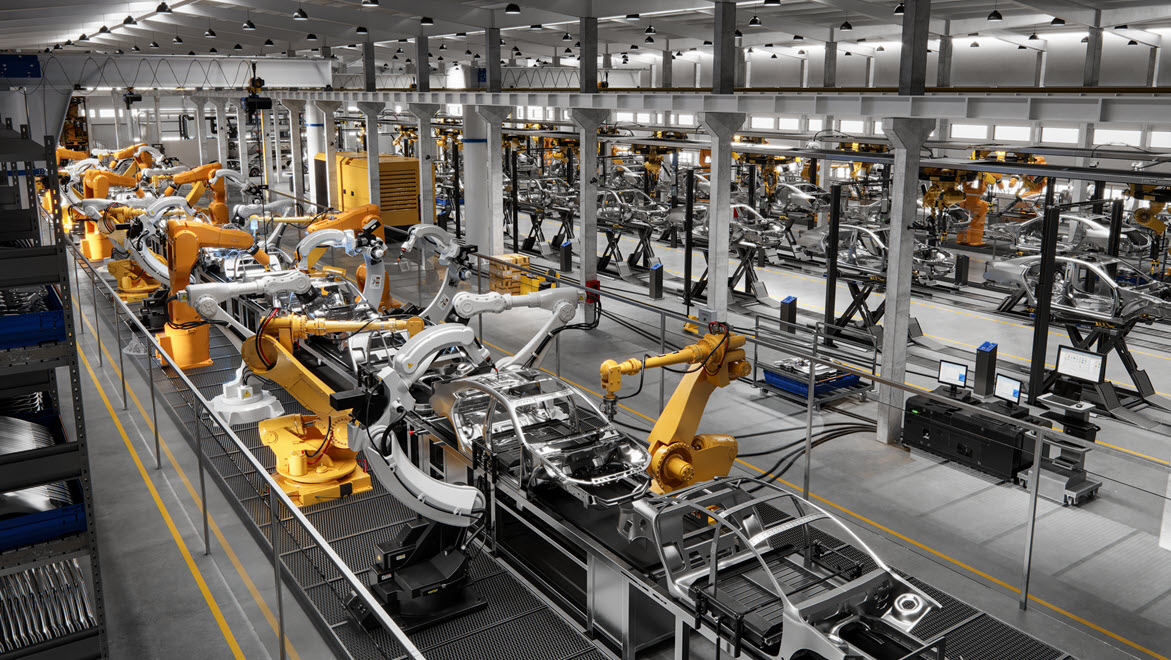
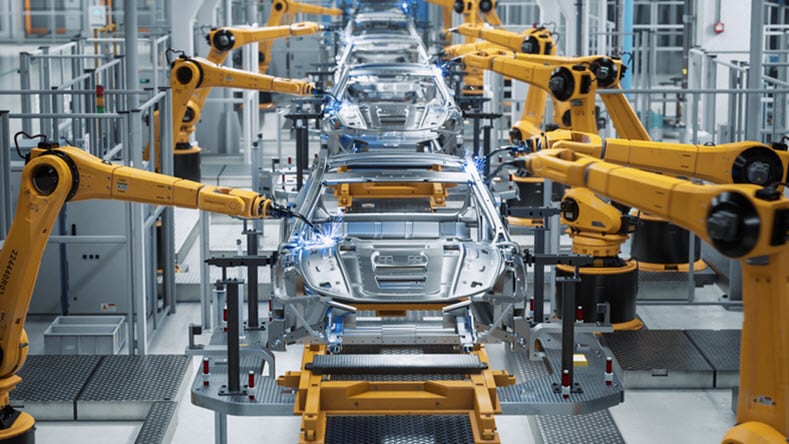
Automotive manufacturers use industrial automation software for precision manufacturing, assembly line automation, and quality control. It also improves efficiency in processes such as welding, painting, and part assembly for consistency and reduced production times.
Industrial automation software manages complex manufacturing processes, keeping everything in line with strict regulatory standards. It facilitates precise mixing, packaging, and labeling, while improving traceability and data integrity for quality assurance.
The food and beverage industry is able to optimize production lines, from ingredient mixing to packaging and labeling with industrial automation software. This aids in improving product quality, improves safety standards, and increases throughput by streamlining repetitive tasks.
Industrial automation software is used for monitoring and controlling drilling operations, refining processes, and pipeline management. It improves safety, enhances operational efficiency, and supports predictive maintenance to prevent equipment failures.
Industrial automation software supports the detailed processes involved in semiconductor fabrication and electronics assembly. It boosts precision, reduces human error, and increases production speed, meeting the high demand for electronic components.
In the chemical industry, industrial automation software is used for complex manufacturing processes with strict regulatory standards. It aids in precise mixing, packaging, and labeling, while improving traceability and data integrity.
Discover how Autodesk customers use our industrial automation software to help their processes thrive.
Viessmann
To serve the booming German heat pump market, Viessmann built a smart factory with a high degree of industrial automation that increases production and improves logistics.
Image courtesy of Viessmann
Porsche
Porsche used digital factory planning in Autodesk Navisworks for its first fully electric sports car to build a state-of-the-art, zero-impact facility. The factory leans on industrial automation, such as driverless transport systems, to maximize production flexibility.
Image courtesy of Dr. Ing. h.c. F. Porsche AG
BLOX
BLOX employs industrialized construction—the application of offsite manufacturing automation—to build hospital components in its Alabama factory for onsite assembly.
Industrial automation software is used to control, monitor, and optimize industrial processes. Here are some key applications of industrial automation software:
The future of industrial automation software is poised for exciting advancement. Changes will be driven by emerging technologies (such as artificial intelligence and machine learning) and an increasing demand for efficiency.
As systems become more integrated, industrial automation software will automate tasks, better predict maintenance needs, and adapt to quickly changing environments. Collaborative robots—or cobots—are set to play a major role. They’ll work alongside humans to be more productive and help create safer workplaces.
We’ll continue to see more ‘smart factories’, which are facilities where all the machines communicate with each other, leading to more efficient operations and better resource management. Access to more data will mean deeper insights into production trends and performance—manufacturers can make faster, more impactful decisions. Businesses will become more agile and able to meet ever-changing market demands.
Read how the digital factory’s industrial automation processes and connected data will define manufacturing’s future, offering a faster time to market, predictive maintenance, resource tracking, and operational efficiencies.
Learn about highly digitalized and connected smart factories, why their automated systems and decision-making are essential for modern manufacturing, and the software that can help you work smarter, not harder.
This infographic shows why a successful smart factory transformation starts with convincing managers and executives that automating repetitive processes reduces errors, minimizes injuries and waste, and improves resource use and product quality.
The Smarter Shop video series imparts nuggets of wisdom on how micro-factory job shops can incorporate and benefit from industrial automation, such as machine monitoring, robotics, and connected digital workflows, on a small scale.
Researchers are training machine learning robotics systems with CAD data to make assembly automation more flexible and adaptable to product changes.
An Autodesk survey of experts shows how the automated data exchange of cloud-connected software in industrial automation can bring system-wide efficiencies to their networks of suppliers and collaborators.
An example of industrial automation could be a self-driving vehicle built to shuttle products and materials around a warehouse or factory. The mining industry uses autonomous or semi-autonomous trucks, trains, drills, and other machinery to encourage safety and efficiency.
Large-scale industrial robots are commonly used for product assembly, welding, painting, and assembly line picking. For more customizable operations, CNC (computer numerical control) machines automate cutting, drilling, milling, and turning for manufacturing.
Another example is a process control system, which automates physical and chemical traits like temperature, flow rate, and pressure for processes in facilities such as power plants and refineries.
There are three types of automation: industrial, fixed, and flexible.
Industrial automation types have progressed from static assembly lines to flexible and intelligent integrated systems.
Fixed automation is a type of industrial automation used for very high-volume production. Making production changes to fixed automation is expensive and time-consuming. Programmable automation works best for batch production and offers electronic controls that can change certain operations with significant effort.
Flexible automation, such as CNC machines, is used for batch production and on-demand manufacturing, where the product varies. It has precise controls and can customize production with little downtime. Integrated automation is the most modern and advanced type, where a single control system monitors and manages an entire connected factory from IIoT devices and cloud data analysis.
Advanced manufacturing faces a skills gap, with qualified workers in short supply; industrial automation can accomplish more with fewer people while putting skilled employees to better use on more complex tasks.
Industrial automation can benefit firms, yield higher productivity, better quality control, safer working conditions, reconfigurability, lower operating costs, and a wealth of insights from a constant flow of harvested data.
There are disadvantages to industrial automation, including the high upfront cost and the time involved in setting it up.
Also, not every task or process can be automated or is a good candidate for automation. Machine automation is ideal for large-volume production requiring repetitive, consistent operations. Automation may not be the best choice when working with products of irregular or inconsistent shapes or with small, highly configurable production runs.
And while automation can make factory floors safer for people and create a need for skilled workers, it also replaces some jobs—another unavoidable disadvantage.
Industrial automation uses many systems and tools. Three of the major ones are supervisory control and data acquisition (SCADA), distributed control systems (DCS), and programmable logic controllers (PLC). SCADA focuses on monitoring and controlling processes from a central location, DCS manages complicated processes with distributed control, and PLCs handle specific automation tasks through programmable logic.
As businesses look to improve their operations to cut costs and enhance productivity, industrial automation is only growing in demand. The need for smoother operations and the adoption of advanced technologies, such as IIoT and AI, are driving growth in the automation sector across various industries.
Important features include automated control systems, real-time monitoring, integration capabilities, simulation and modeling tools, scalability, and user-friendly interfaces.
Industrial automation software helps automate repetitive tasks, reduce human error, enhance precision, and provide real-time monitoring and analytics, leading to faster production and better resource management.
Common challenges when implementing industrial automation software include initial costs, integration with existing systems, employee training, and ensuring cybersecurity.
Consider factors such as compatibility with existing systems, scalability, ease of use, and support and maintenance services offered when choosing an industrial automation software solution.
Industrial automation software, like Autodesk Inventor, FlexSim, and Factory Design Utilities includes sets of digital tools used to design, control, monitor, and optimize automated industrial processes and machinery. It connects equipment, sensors, and control systems to run operations with minimal manual intervention.
Industrial automation software is used in automotive, food and beverage, pharmaceuticals, electronics, chemicals, energy, and other manufacturing sectors that require consistent, high-quality production.
Common challenges include upfront investment, integration with legacy systems, skills gaps, and managing cybersecurity for connected equipment and networks.
Evaluate your production processes, integration needs, scalability requirements, and industry regulations, then look for industrial automation software that supports your use cases, fits your existing systems, and can grow with your business. Consider Autodesk solutions like Inventor, FlexSim, and Factory Design Utilities.